
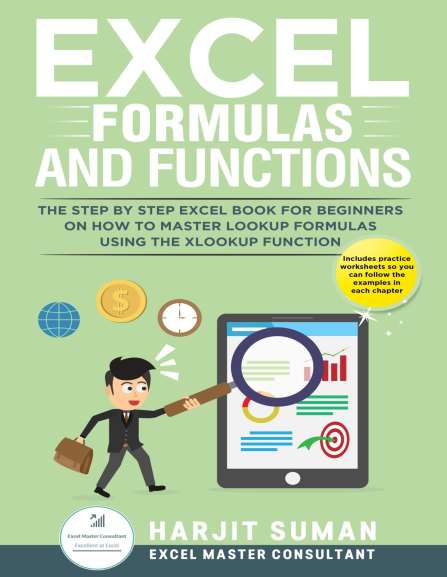

Excel Formulas and Functions: The Step by Step Excel Book for Beginners on how to Master Lookup Formulas using the XLOOKUP Function
Harjit Suman, 979-8673715024, 9798673715024, B08F73L8V5, B08F8193G6
English | 2023 | MOBI, Converted PDF | 12 MB
CREATE POWERFUL AND VERSATILE LOOKUP FORMULAS BY MASTERING THE NEW XLOOKUP FUNCTION IN THIS EXCEL FORMULAS AND FUNCTIONS 2023 BOOK
"Excel Formulas and Functions by Harjit is designed to help readers improve their existing Excel skills. Common problems are covered step by step, making the explanations easy to follow" - Review by Bryone Peters, Readers Favorite
Over the years, Microsoft release new tools and Excel functions to make Excel the biggest and best spreadsheet application in the world. One new feature is the XLOOKUP function. If you have ever used VLOOKUP and HLOOKUP, you will know how great they are but you may also be aware of their limitations. With XLOOKUP, Microsoft have addressed these limitations to make it the most versatile and flexible Excel lookup function to date.
WHAT YOU WILL LEARN FROM READING THIS EXCEL FOR BEGINNERS BOOK
This Excel Formulas and Functions bookis the most comprehensive guide yet on how to write XLOOKUP formulas.
At the beginning of this Excel for dummies 2023 book you will learn what XLOOKUP is, what its syntax and arguments mean and why it is better than the other popular lookup functions. You will also understand what relative and absolute cell references are and learn how to use them so your Excel formulas do not return any errors.
In the middle and end sections, this Microsoft Excel book provides examples of how to use XLOOKUP. You will learn how to create vertical and horizontal lookups, how to trap any errors that may occur, how to perform an approximate match, how to perform partial matches and how to extract the last value in a column or array. You will also learn how to return values in multiple cells using just one XLOOKUP formula and how to perform complex two-way lookups easily. You can also follow the examples in each chapter by downloading the free practice worksheets.
Here are some of the topics you will learn from this Excel 2023 book:
What is XLOOKUP?
What the XLOOKUP syntax is and an explanation of all its arguments
What the limitations of VLOOKUP are and how XLOOKUP addresses these
What are relative and absolute cell references
How to perform vertical lookups using XLOOKUP
How to perform horizontal lookups using XLOOKUP
What the different error types are in Excel
How to use XLOOKUP to replace errors with more meaningful values
How to perform an approximate match using XLOOKUP
How to use wildcard characters to perform partial matches with XLOOKUP
How to extract the last value in a column or array using XLOOKUP
Learn what the new ‘Spill’ term is and why it occurs
How to return multiple values across cells using just one XLOOKUP formula to save time
How to perform two-way lookups using XLOOKUP which replaces the more complex INDEX+MATCH functions
HOW YOU WILL BENEFIT AFTER READING THIS EXCEL FORMULAS AND FUNCTIONS BOOK?
Once you have read this Excel for beginners 2023 book you will know how to perform complex lookups to extract information from your data set quickly and easily. This Excel book will save you time and effort and will take your Excel skills to the next level. You will see the benefits of using XLOOKUP over other lookup functions such as VLOOKUP, HLOOKUP, LOOKUP and INDEX+MATCH functions and realise just how flexible and versatile this function is over other lookup functions which will make you more efficient.
Many workplaces require you to work with large data sets and to manipulate and extract information from this data set. There is no easier way to do this than with XLOOKUP. This Excel for dummies book will teach you how.
To truly better yourself you need to invest in yourself.